Preston Road — Blender model in Minecraft
Download Preston Road — Blender model as a Minecraft world or schematic, built block by block from its 3D model. Choose the size, preview it and open it in Minecraft: Java Edition on a computer, or Bedrock on iPhone, iPad and Android.
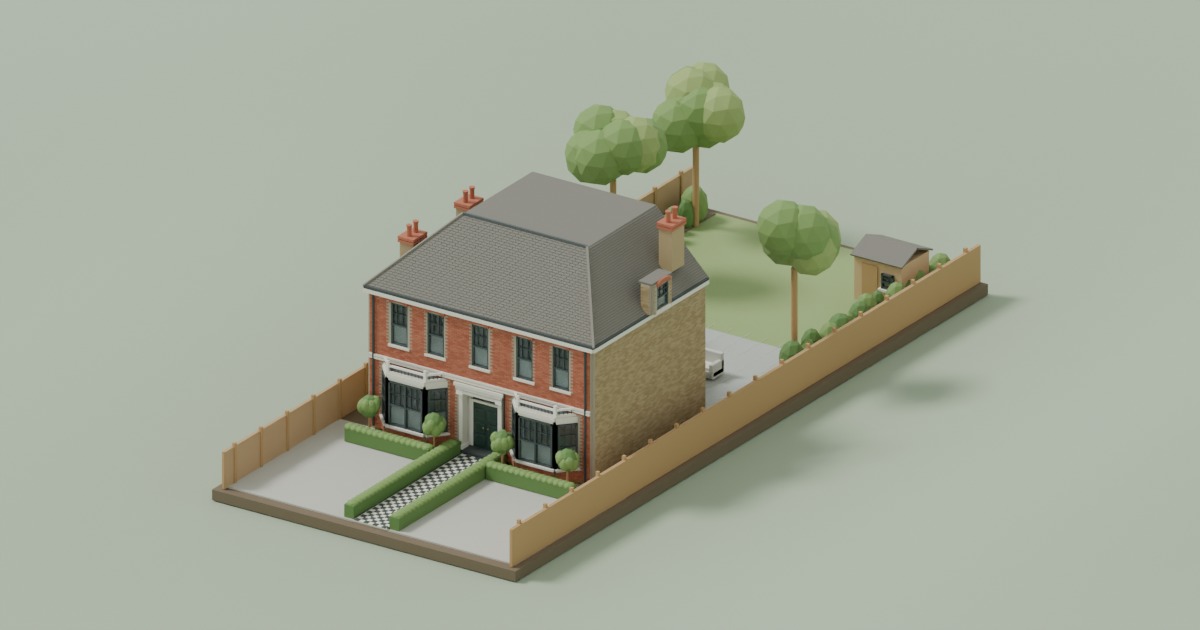
Explore Preston Road — Blender model in 3D
How to build Preston Road — Blender model in Minecraft
This page turns the 3D model of Preston Road — Blender model into Minecraft blocks, in your browser. Choose a size and whether to include the garden and surroundings, then download one of these:
- A Java world
- A Minecraft: Java Edition save with the house already built, in creative or survival, by day, at sunset or at night. Unzip it into your
saves folder and open it from Singleplayer. - A Bedrock world
- On an iPhone, iPad or Android phone, a
.mcworld file with the same house and choices. Tap it and Minecraft opens and imports it; it is then under Play › Worlds. - A schematic
- A
.schem file. Load it in Litematica to build over a see-through guide block by block, or paste it all at once with WorldEdit. A survival build comes with the list of blocks it needs.
A computer gets the Java world and the schematic; a phone or tablet gets the Bedrock world. The house comes with its doors; inside floors are not added yet.
No Minecraft? Walk around Preston Road — Blender model in your browser, built from the same blocks, with nothing to install.
More houses to build in MinecraftExplore Preston Road — Blender model in 3D
Not an official Minecraft product. Not approved by or associated with Mojang or Microsoft.